


Lane Departure Warning (LDW) Light
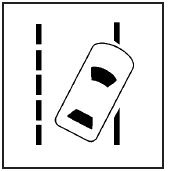
For vehicles with the lane departure warning system, this light briefly comes on green, while starting the vehicle, to indicate that it is working.
If it does not, have the vehicle serviced by your dealer/retailer. If the system is working normally the indicator light will then go off.
This light also comes on green if the system detects a left or right lane marking. It flashes, changes to amber and three beeps sound if a detected lane marking is crossed without using a turn signal. For more information, see the Index in the Navigation Manual.
See also:
Owner Checks and Services
At Each Fuel Stop
• Check the engine oil level. See
Engine Oil.
Once a Month
• Check the tire inflation
pressures. See Tire Pressure.
• Inspect the tires for wear. See
Tire Inspection. ...
Hazard Warning Flashers
Hazard Warning Flashers
Hazard Warning Flasher:
Press this button to make the front
and rear turn signal lamps flash on
and off. Press again to turn the
flashers off.
The hazard warning fl ...
Folding the Seatback
Either side of the seatback can be
folded down for more cargo space.
Fold a seatback only when the
vehicle is not moving.
Notice:
Folding a rear seat with
the safety belts still fastened may ...