


Charging System Light
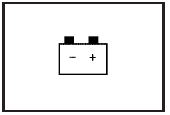
This light comes on briefly when the ignition key is turned to START, but the engine is not running, as a check to show it is working.
If it does not, have the vehicle serviced by your dealer/retailer.
The light should go out once the engine starts. If it stays on, or comes on while driving, there could be a problem with the charging system. A charging system message in the Driver Information Center (DIC) can also appear. See DIC Warnings and Messages for more information. This light could indicate that there are problems with a generator drive belt, or that there is an electrical problem. Have it checked right away. If the vehicle must be driven a short distance with the light on, turn off accessories, such as the radio and air conditioner.
See also:
Interior
The Rendezvous seats five occupants in standard form, but its reconfigurable
interior may be equipped with third-row seats that hold two additional people.
The second row can have a three-place sp ...
Hill Start Assist (HSA)
This vehicle has a Hill Start Assist
(HSA) feature, which may be useful
when the vehicle is stopped on a
grade. This feature is designed to
prevent the vehicle from rolling,
either forward o ...
Express Window Operation
Windows with an express-up or
down feature allow the front
windows to be lowered or raised
without holding the switch. Rear
windows only have express-down.
Pull a window switch up or push it ...