


Turn and Lane-Change Signals
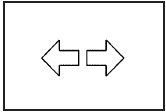
An arrow on the instrument panel cluster flashes in the direction of the turn or lane change.
For vehicles with the side blind zone alert system, an arrow in the outside mirror flashes when the turn signal is used. See Side Blind Zone Alert (SBZA) for more information.
Move the lever all the way up or down to signal a turn.
Raise or lower the lever until the arrow starts to flash to signal a lane change. Hold it there until the lane change is complete. If the lever is briefly pressed and released, the turn signal will flash three times.
The lever returns to its starting position when it is released.
If after signaling a turn or lane change the arrow flashes rapidly or does not come on, a signal bulb may be burned out.
Have the bulbs replaced. If the bulb is not burned out, check the fuse. See Fuses and Circuit Breakers
Turn Signal On Chime
If the turn signal is left on, a warning chime sounds and the Driver Information Center (DIC) will display TURN SIGNAL ON after driving about a mile as a reminder to turn it off. See DIC Warnings and Messages.
See also:
When to Add Engine Oil
When to Add Engine Oil
If the oil is below the cross-hatched
area at the tip of the dipstick, add
1 L (1 qt) of the recommended oil
and then recheck the level. See
“Selecting the Right En ...
Replacing Safety Belt System Parts after a Crash
WARNING!
A crash can damage the safety
belt system in the vehicle.
A damaged safety belt system
may not properly protect the
person using it, resulting in
serious injury or even death in a
...
Door Ajar Light
This light comes on in the Driver
Information Center (DIC) when a
door is open or not securely latched.
Before driving, check that all doors
are properly closed. ...