


StabiliTrak® System
The vehicle may have a vehicle stability enhancement system called StabiliTrak. It is an advanced computer-controlled system that assists with directional control of the vehicle in difficult driving conditions.
StabiliTrak activates when the computer senses a difference between the intended path and the direction the vehicle is actually traveling. StabiliTrak selectively applies braking pressure to the vehicle brakes to help steer the vehicle in the intended direction.
StabiliTrak comes on automatically whenever the vehicle is started.
To assist with directional control of the vehicle, the system should always be left on.
When StabiliTrak activates,  flashes on the instrument panel.
A noise may be heard or vibration may be felt in the brake pedal.
This is normal. Continue to steer the vehicle in the intended direction.
See Traction Control System (TCS)/ StabiliTrak® Light for more information.
If a problem is detected with StabiliTrak, SERVICE STABILITRAK is displayed on the Driver Information Center (DIC).
See Ride Control System Messages . When this message is displayed and comes on and stays on, the vehicle is safe to drive but the system is not operational.
Driving should be adjusted accordingly.
If comes on and stays on, reset the system.
To reset:
1. Stop the vehicle.
2. Turn the engine off and waiting 15 seconds.
3. Start the engine.
If still comes on and stays on, the vehicle needs service.
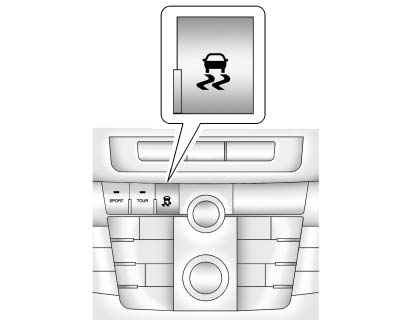 With Interactive Drive Control System
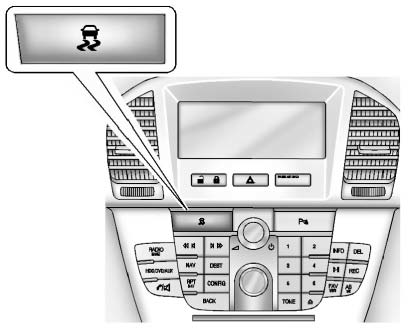 Without Interactive Drive Control System
 and
and
 illuminate and the appropriate DIC message is displayed.
See Ride Control System Messages .
When StabiliTrak is turned off, the system will not assist with directional control of the vehicle or limit wheel spin. Driving should be adjusted accordingly.
See StabiliTrak® OFF Light for more information.
► Press and release the TCS/ StabiliTrak button again to turn the system back on.If cruise control is being used when StabiliTrak activates, cruise control will automatically disengage.
Press the cruise control button to reengage when road conditions allow. See Cruise Control for more information.
See also:
Delayed Locking
When locking the doors with the
power lock switch and a door is
open, the doors will lock
five seconds after the last door is
closed. You will hear three chimes
to signal that the delayed lo ...
Checking the Restraint Systems
Now and then, make sure the safety belt reminder
light and all your belts, buckles, latch plates,
retractors and anchorages are working properly.
Look for any other loose or damaged safety
belt ...
Some Other Rainy Weather Tips
• Besides slowing down, allow some extra
following distance. And be especially careful
when you pass another vehicle. Allow yourself
more clear room ahead, and be prepared to
have your view rest ...