


Turn and Lane-Change Signals
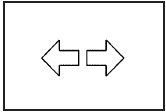
An arrow on the instrument panel cluster flashes in the direction of the turn or lane change.
For vehicles with the side blind zone alert system, an arrow in the outside mirror flashes when the turn signal is used. See Side Blind Zone Alert (SBZA) for more information.
Move the lever all the way up or down to signal a turn.
Raise or lower the lever until the arrow starts to flash to signal a lane change. Hold it there until the lane change is complete. If the lever is briefly pressed and released, the turn signal will flash three times.
The lever returns to its starting position when it is released.
If after signaling a turn or lane change the arrow flashes rapidly or does not come on, a signal bulb may be burned out.
Have the bulbs replaced. If the bulb is not burned out, check the fuse. See Fuses and Circuit Breakers
Turn Signal On Chime
If the turn signal is left on, a warning chime sounds and the Driver Information Center (DIC) will display TURN SIGNAL ON after driving about a mile as a reminder to turn it off. See DIC Warnings and Messages.
See also:
Electrical System Overload
The vehicle has fuses and circuit
breakers to protect against an
electrical system overload.
When the current electrical load is
too heavy, the circuit breaker opens
and closes, protecting th ...
Wheel Alignment and Tire Balance
The tires and wheels on your vehicle were aligned
and balanced carefully at the factory to give you
the longest tire life and best overall performance.
Adjustments to wheel alignment and tire
ba ...
Exterior
Described by Buick as having a "refined ruggedness," the Rendezvous has an
overall shape like that of an SUV, augmented by details that promote a youthful
image. Sharp lines take precede ...