


Security Light
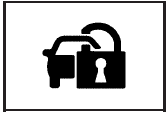
For information regarding this light and the vehicle’s security system, see Content Theft-Deterrent.
See also:
Hydraulic Power Steering
If your vehicle has hydraulic power
steering, it may require
maintenance. See Power Steering
Fluid (2.4L L4 Engine) or Power Steering Fluid
(3.6L V6 Engine).
If power steering assist is lost ...
Warning Lights, Gauges, and Indicators
Warning lights and gauges can
signal that something is wrong
before it becomes serious enough
to cause an expensive repair or
replacement. Paying attention to the
warning lights and gauges c ...
Universal Home Remote SystemOperation (With Three Round LED)
Your vehicle may have the Universal Home Remote
System. If there are three round Light Emitting
Diode (LED) above the Universal Home Remote
System buttons, follow the instructions below.
If th ...