


Safety Warnings and Symbols
Warning Messages found on vehicle labels and in this manual describe hazards and what to do to avoid or reduce them.
Danger indicates a hazard with a high level of risk which will result in serious injury or death.
Warning or Caution indicates a hazard that could result in injury or death.
WARNING:
These mean there is something that could hurt
you or other people.
Notice: This means there is something that could result in property or vehicle damage. This would not be covered by the vehicle’s warranty.
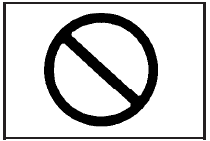
A circle with a slash through it is a safety symbol which means “Do Not,” “Do not do this,” or “Do not let this happen.”
See also:
Tire Pressure Monitor System
The Tire Pressure Monitor System (TPMS) uses radio and sensor technology to check
tire pressure levels. The TPMS sensors monitor the air pressure in your tires and
transmit tire pressure readings ...
Rear Safety Belt Comfort
Guides
This vehicle may have rear shoulder
belt comfort guides. If not, they are
available through your dealer. The
guides may provide added safety
belt comfort for older children who
have outgrown ...
Tire Pressure Monitor Operation
This vehicle may have a Tire Pressure Monitor System (TPMS).
The TPMS is designed to warn the driver when a low tire pressure condition exists. TPMS sensors are mounted onto each tire and wheel assem ...