


How to Add Coolant to the Radiator
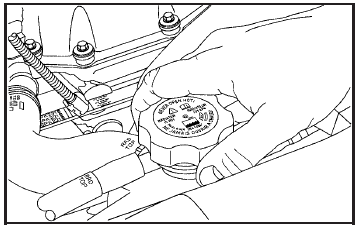
1. You can remove the radiator pressure cap when the cooling system, including the radiator pressure cap and upper radiator hose, is no longer hot.
Turn the pressure cap slowly counterclockwise about one full turn. If you hear a hiss, wait for that to stop. A hiss means there is still some pressure left.
2. Then keep turning the pressure cap. Remove the pressure cap.
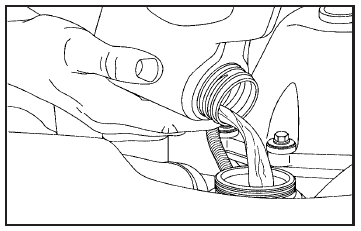
3. Fill the radiator with the proper DEX-COOL® coolant mixture, up to the base of the filler neck. See Engine Coolant on page 379 for more information about the proper coolant mixture.
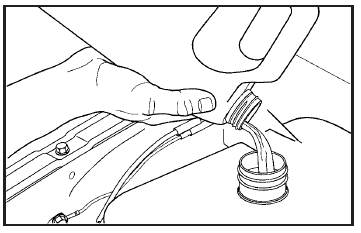
4. Then fill the coolant recovery tank to the
FULL COLD mark.
5. Put the cap back on the coolant recovery
tank, but leave the radiator pressure
cap off.
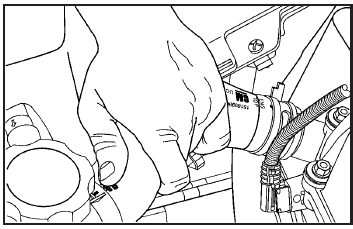
6. Start the engine and let it run until you can feel the upper radiator hose getting hot.
Watch out for the engine cooling fan.
7. By this time, the coolant level inside the
radiator filler neck may be lower. If the level is
lower, add more of the proper DEX-COOL®
coolant mixture through the filler neck until the
level reaches the base of the filler neck.
8. Then replace the pressure cap. At any time
during this procedure if coolant begins to flow
out of the filler neck, reinstall the pressure
cap. Be sure the pressure cap is hand-tight
and fully seated.
See also:
Vehicle Information Menu Items
Press MENU on the turn signal lever until the Vehicle Information Menu is displayed.
Use w / x to scroll through the following menu items:
Unit
Tire Pressure
Remaining Oil Life
Battery Vol ...
Radio Frequency
Identification (RFID)
RFID technology is used in some vehicles for functions
such as tire pressure monitoring and ignition system
security, as well as in connection with conveniences
such as key fobs for remote door ...
Clock
The infotainment system controls are used to access the time and date settings through the menu system. See Operation for information about how to use the menu system.
Setting the Time and Date ...