


Without Selective Ride Control
1. Move the shift lever to the left from D (Drive).
The transmission will enter Manual Mode. The DIC gear indicator will change to an M followed by a number representing the gear the vehicle is currently in.
2. In Manual Mode, press the shift lever forward to upshift or rearward to downshift.
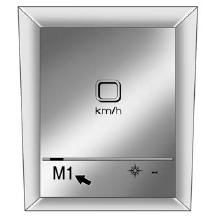
Uplevel Display Shown, Base Model Similar
The display on the instrument panel cluster will show which gear the vehicle is in. The number indicates the requested gear range when moving the shift lever forward or rearward.
The transmission will only allow you to shift into gears appropriate for the vehicle speed and engine revolutions per minute (rpm). The transmission will not automatically shift to the next lower gear if the engine rpm is too high, nor to the next higher gear when the maximum engine rpm is reached.
While in the DSC mode, the transmission will automatically downshift when the vehicle comes to a stop. This will allow for more power during take-off.
When accelerating the vehicle from a stop in snowy and icy conditions, you may want to shift into second gear. A higher gear allows you to gain more traction on slippery surfaces.
See also:
Shifting Into Park (P)
CAUTION:
It can be dangerous to get out of your
vehicle if the shift lever is not fully in
PARK (P) with the parking brake firmly set.
Your vehicle can roll. If you have left the
engine runni ...
Chemical Paint Spotting
Airborne pollutants can fall upon
and attack painted vehicle surfaces
causing blotchy, ring-shaped
discolorations, and small, irregular
dark spots etched into the paint
surface. ...
Tires
Tires need to be properly inflated,
rotated, and balanced. Maintaining
the tires can save money, fuel, and
can reduce the risk of tire failure.
• Signs that the tires need to be
replaced in ...