


StabiliTrak® System
The vehicle may have the StabiliTrak system which combines antilock brake, traction and stability control systems and helps the driver maintain directional control of the vehicle in most driving conditions. This is accomplished by selectively applying any one of the vehicle’s brakes and reducing engine power.
The StabiliTrak system comes on automatically whenever the vehicle is started. The system cannot be turned off.
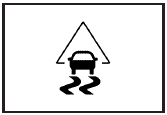
This light will flash when the system is operating.
The STABILITRAK NOT READY message may be displayed in the Driver Information Center (DIC) and the Traction Control System (TCS)/StabiliTrak warning light on the instrument panel cluster comes on after first driving the vehicle and exceeding 19 mph (30 km/h) for 30 seconds. The StabiliTrak system is off until the light has turned off. This could take up to 15 minutes.
The TCS/StabiliTrak warning light on the instrument panel cluster will flash when the system is operating.
See Traction Control System (TCS) Warning Light and StabiliTrak® Indicator Light for more information. The system may be heard or felt while it is working. This is normal.
The SERVICE STABILITRAK message is displayed and the TCS/StabiliTrak warning light on the instrument panel cluster comes on if there is a problem with the system.
When this light and the SERVICE STABILITRAK message are on, the system is not working. Adjust your driving accordingly.
See also:
What to Use
To determine what kind of fluid to
use, see Recommended Fluids and
Lubricants. Always
use the proper fluid. ...
Ignition Transmission Lock Check
While parked, and with the parking brake set, try to turn the ignition to LOCK/OFF
in each shift lever position.
The ignition should turn to LOCK/OFF only when the shift lever is in P (Park).
...
Audio Output
Audio from the DVD player or
auxiliary inputs can be heard
through the following:
• Wireless Headphones
• Vehicle Speakers
The RSE system transmits the
audio signal to the wireless
head ...