


DVD Player Buttons (With Sunroof)
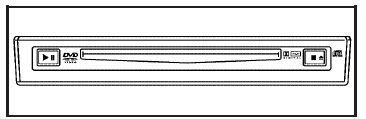
 (Play/Pause): Press this
button to start play
of a DVD or CD. Press this button while a
DVD or CD is playing to pause it. Press this button
again to continue the play of the DVD or CD.
(Play/Pause): Press this
button to start play
of a DVD or CD. Press this button while a
DVD or CD is playing to pause it. Press this button
again to continue the play of the DVD or CD.
 (Stop/Eject): Press this
button to
stop playing, rewinding, or fast forwarding a DVD
or CD. Press this button twice to return to the
beginning of the DVD.
(Stop/Eject): Press this
button to
stop playing, rewinding, or fast forwarding a DVD
or CD. Press this button twice to return to the
beginning of the DVD.
Press and hold this button for more than three seconds to eject a DVD or CD.
See also:
Storing a Favorite Station
Stations from all bands can be
stored in the favorite lists in any
order. Up to six stations can be
stored in each favorite page and the
number of available favorite pages
can be set.
To st ...
Door Ajar Light
This light comes on in the Driver
Information Center (DIC) when a
door is open or not securely latched.
Before driving, check that all doors
are properly closed. ...
Different Size Tires and Wheels
If wheels or tires are installed that
are a different size than the original
equipment wheels and tires, vehicle
performance, including its braking,
ride and handling characteristics,
stabil ...