


System Settings
Configuring the Number of Favorite Pages
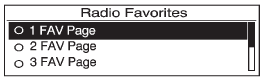
To configure the number of available favorite pages:
1. Press the CONFIG button.
2. Select Radio Settings.
3. Select Radio Favorites.
4. Select the number of available favorite pages.
5. Press the  BACK button to
go
back to the System
Configuration menu.
BACK button to
go
back to the System
Configuration menu.
Auto Volume
The auto volume feature automatically adjusts the radio volume to compensate for road and wind noise as the vehicle speeds up or slows down, so that the volume level is consistent.
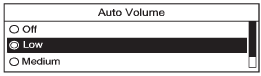
The level of volume compensation can be selected, or the auto volume feature can be turned off.
1. Press the CONFIG button.
2. Select Radio Settings.
3. Select Auto Volume.
4. Select the setting.
5. Press the BACK button to
go
back to the System
Configuration menu.
Maximum Startup Volume
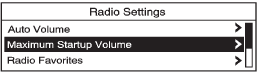
The maximum volume played when the radio with CD is first turned on can be set.
1. Press the CONFIG button.
2. Select Radio Settings.
3. Select Maximum Startup Volume.
4. Select the setting.
5. Press the BACK button to
go
back to the System
Configuration menu.
See also:
Instrument Panel Illumination Control
This feature controls the brightness of the instrument panel controls and infotainment
display screen. The thumbwheel is located to the left of the steering column on
the instrument panel.
(In ...
Immobilizer Operation (Keyless Access)
This vehicle has a passive
theft-deterrent system.
The system does not have to be
manually armed or disarmed.
The vehicle is automatically
immobilized when the transmitter
leaves the vehicle ...
Airbag System Check
The airbag system does not need regularly scheduled maintenance or replacement.
Make sure the airbag readiness light is working. See Airbag Readiness Light
for more information.
Notice: If ...