


Security Light
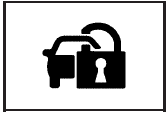
For information regarding this light and the vehicle’s security system, see Content Theft-Deterrent.
See also:
Infotainment System Menus
Tone Settings
To access the tone settings, press
the Home Page Tone button or the
TONE button on the faceplate.
Use the tone settings to adjust the
following features:
• Setting the tone
â ...
Traction Off Light
This light comes on briefly while
starting the engine. If it does not,
have the vehicle serviced by your
dealer.
This light comes on when the
Traction Control System (TCS) has
been turned ...
Driving in Rain and on Wet Roads
Rain and wet roads can mean driving trouble.
On a wet road, you cannot stop, accelerate, or turn
as well because your tire-to-road traction is not
as good as on dry roads. And, if your tires do ...