


Hazard Warning Flashers
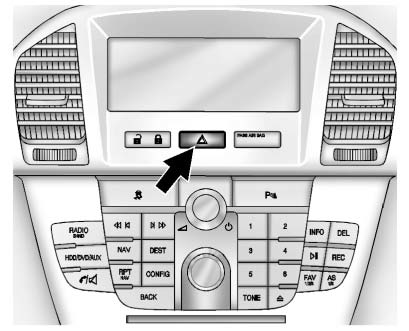
 Hazard Warning Flasher: Press this button located on the instrument panel above the audio system, to make the front and rear turn signal lamps flash on and off.
Press again to turn the flashers off.
The hazard warning flashers turn on automatically if the airbags deploy.
See also:
LOW BATTERY
This message is displayed when the
battery voltage is low. See Battery for more information. ...
Exit Lighting
With exit lighting, the interior lamps come on when
you remove the key from the ignition. If the
dome override is off, these lamps stay on for a
short period of time and then go out. ...
Securing a Child Restraint
Designed for the LATCH
System
WARNING!
If a LATCH-type child restraint is
not attached to anchors, the child
restraint will not be able to protect
the child correctly. In a crash, the
child could be seriously injured or
...