


Exterior Mirrors
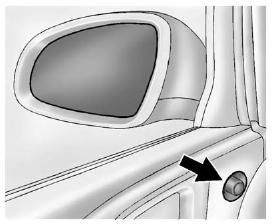
1. Turn the selector switch to L (Left) or R (Right) to choose the driver or
passenger mirror.
2. Move the control to adjust the mirror.
3. Turn the selector switch to  to deselect
the mirror.
to deselect
the mirror.
The vehicle has manual folding mirrors. See Folding Mirrors .
See also:
New Vehicle Break-In
Notice: The vehicle does not need an elaborate break-in. But it will perform better in the long run if you follow these guidelines:
► Do not drive at any one constant speed, fast or slow, for t ...
Safety
Side-impact airbags and all-disc antilock brakes are optional.
Driving Impressions
Despite structural similarities to the wildly styled Pontiac Aztek, Buick’s
crossover model has a personality ...
Check Engine Light
A computer system called OBD II (On-Board
Diagnostics-Second Generation) monitors operation
of the fuel, ignition, and emission control systems.
It ensures that emissions are at acceptable levels ...