


Lumbar Adjustment
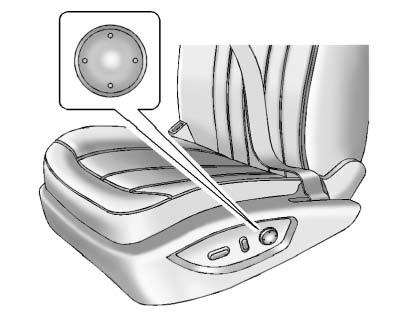
To adjust the lumbar support:
► Press and hold the front or rear of the control to increase or decrease lumbar support. ► Press and hold the top or bottom of the control to raise or lower lumbar support.Release the control when the desired level of support is reached.
See also:
Manual Foldaway Mirrors
These mirrors can be folded inward
to prevent damage when going
through an automatic car wash. To
fold, pull the mirror toward the
vehicle. Push the mirror outward to
return it to the origin ...
Replacing Safety Belt System Parts after a Crash
WARNING
A crash can damage the safety belt system in the vehicle. A damaged safety belt
system may not properly protect the person using it, resulting in serious injury
or even death in a crash ...
Sheet Metal Damage
If the vehicle is damaged and requires sheet metal repair or replacement, make sure the body repair shop applies anti-corrosion material to parts repaired or replaced to restore corrosion protection.
...