


Adjusting the Treble, Midrange, and Bass
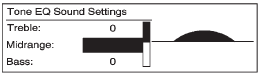
1. Press the TONE button.
2. Select Treble, Midrange, or Bass.
3. Select the value.
Press the  BACK button to go
back to the Tone Settings menu.
BACK button to go
back to the Tone Settings menu.
See also:
Cleaning the Video Screen
Pour some isopropyl or rubbing alcohol on a clean
cloth and gently wipe the video screen. Do not
spray directly onto the screen and do not press too
hard or too long on the video screen. ...
Brakes
This vehicle has disc brakes. Disc
brake pads have built-in wear
indicators that make a high-pitched
warning sound when the brake pads
are worn and new pads are needed.
The sound can come and ...
Programming Universal HomeRemote — Fixed Code
Fixed Code garage door openers are used for
garage doors produced prior to 1996. Fixed code
uses the same coded signal every time, which
is manually programmed by setting DIP switches
for a unique ...