


Activating a Setting
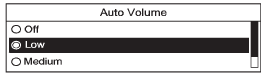
1. Turn the Menu knob to highlight the setting.
2. Press SELECT to activate the setting.
See also:
How to Inspect the Engine Air
Cleaner/Filter
To inspect the air cleaner/filter, remove the filter from
the vehicle and lightly shake the filter to release
loose dust and dirt. If the filter remains caked with dirt, a
new filter is required ...
Steps for Determining Correct Load Limit
1. Locate the statement “The combined weight of
occupants and cargo should never exceed
XXX kg or XXX lbs” on your vehicle’s placard.
2. Determine the combined weight of the driver
and pa ...
Dual Automatic Climate Control System
For vehicles with this system, it controls the heating, cooling, and
ventilation.
Non-eAssist Vehicles
A. Power
B. Driver Temperature Control
C. Defrost
D. Fan Control
E. Air Delivery Mode C ...