


StabiliTrak® Indicator Light
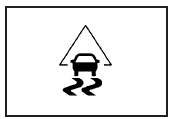
This warning light should come on briefly when the engine is started.
During most driving conditions, this light will not come on. If the StabiliTrak® System is actively controlling the stability and/or traction of the vehicle, this light will flash. This is normal.
This light will come on if any portion of the system has been manually turned off or a problem is detected in the system.
If your vehicle has a Driver Information Center, a message will appear also.
See also:
Certification Label
Label Example
A vehicle-specific Certification label, found on the vehicle center pillar (B-pillar),
tells you the gross weight capacity of the vehicle, called the Gross Vehicle Weight
Rating ( ...
Recording an Audio or MP3
CD to MEM
See Mass Storage Media (MEM) for more information. ...
Finish Damage
Any stone chips, fractures or deep scratches in
the finish should be repaired right away. Bare
metal will corrode quickly and may develop into
major repair expense.
Minor chips and scratches can ...