


StabiliTrak® Service Light
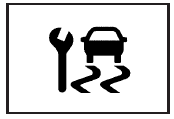
This light will come on briefly when the engine is started.
This light will come on if a problem is detected in the StabiliTrak® system.
See also:
Playing a CD or MP3 CD (Radio with CD)
Press the CD button if there is a disc in the player; it begins playing.
Information about the disc and current track is shown on the display depending
on the data stored.
Selecting a CD Track
Us ...
Owner Checks and Services
At Each Fuel Stop
Check the engine oil level. See Engine Oil .
Once a Month
Check the tire inflation pressures. See Tire Pressure .
Inspect the tires for wear. See Tire Inspection .
Che ...
Danger, Warnings, and Cautions
Warning messages found on vehicle labels and in this manual describe hazards and what to do to avoid or reduce them.
Danger indicates a hazard with a high level of risk which will result in serious i ...