


Safety Belt Reminder Light
When the key is turned to RUN or START, a chime will sound for several seconds to remind you buckle your safety belt. The driver safety belt light will also come on and stay on for several seconds, then it will flash for several more.
You should buckle your seat belt.
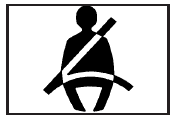
This chime and light will be repeated if the driver remains unbuckled and the vehicle is in motion.
If the driver’s belt is buckled, neither the chime nor the light will come on.
See also:
Bluetooth®
Vehicles with a Bluetooth system can use a Bluetooth
capable cell phone with a Hands Free Profile to make and
receive phone calls. The system can be used while the
key is in ON/RUN or ACC/ACCESS ...
Oil Pressure Light
WARNING:
Do not keep driving if the oil pressure is low. The
engine can become so hot that it catches fire.
Someone could be burned. Check the oil as soon
as possible and have the vehicle serv ...
Radio(s)
Radio with CD (MP3)
: Press to turn the system on
and off. Turn to
increase or decrease the volume.
BAND: Press to choose between FM, AM, or XM™,
if equipped.
: Select radio stations.
...