


Head Restraints
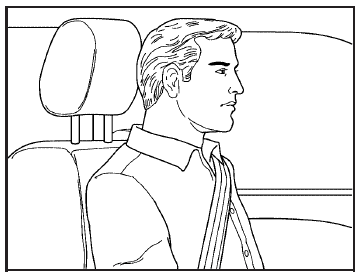
Adjust the head restraint so that the top of the restraint is at the same height as the top of the occupant’s head. This position reduces the chance of a neck injury in a crash.
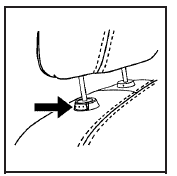
Pull the head restraint up to raise it.
To lower the head restraint, press the button, located on the top of the seatback, and push the head restraint down.
See also:
Safety Locks
The vehicle may have power safety locks or manual safety locks. Power safety locks will lock the rear windows and not allow the rear doors to be opened from the inside.
Manual safety locks do not all ...
Driver Information Center (DIC)
The DIC display is located in the center of the instrument panel cluster. It
shows the status of many vehicle systems. The controls for the DIC are located on
the turn signal lever.
A. SET/CLR: ...
Radio Messages for XM™ Only
See XM Radio Messages later in this
section for further detail. ...