


Power Lumbar
Your vehicle has power lumbar on the driver’s and front passenger’s seats.
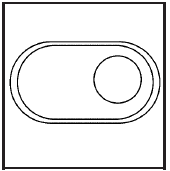
The seatback lumbar support can be adjusted by moving the control located on the outboard side of the seat cushions.
To increase or decrease support, hold the control forward or rearward.
Keep in mind that as your seating position changes, as it may during long trips, so should the position of your lumbar support. Adjust the seat as needed.
See also:
Service
Never try to do your own service on
eAssist components. You can be
injured and the vehicle can be
damaged if you try to do your own
service work. Service and repair of
these high voltage com ...
Wheel Alignment and Tire Balance
The tires and wheels were aligned and balanced at the factory to provide the
longest tire life and best overall performance. Adjustments to wheel alignment and
tire balancing will not be necessary ...
Maintenance Footnotes
(a) Visually inspect brake lines and hoses for
proper hook-up, binding, leaks, cracks, chafing,
etc. Inspect disc brake pads for wear and rotors for
surface condition. Inspect other brake parts,
i ...