


Center Console Storage
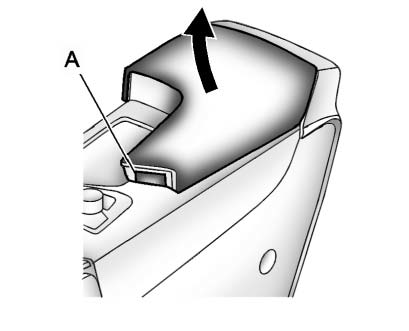
Push the button (A) to access the storage or accessory power outlet under the armrest.
See Power Outlets for more information.
Some vehicles might also have input jacks for auxiliary devices. See Auxiliary Devices for more information
See also:
Gate Ajar Light
If this light comes on,
the liftgate or liftglass is
not completely shut.
Close the liftgate or liftglass. Never drive with the
liftgate or liftglass even partially open. ...
Reading Lamps
There are front and rear reading
lamps.
The front reading lamps are located
in the overhead console.
The rear reading lamps are located
in the headliner.
or
: Press to turn each lamp
...
Trunk Release
In addition to the trunk release button on the RKE
transmitter, there is a remote release
button located
on the instrument panel.
See Trunk. ...