


Power Mirrors
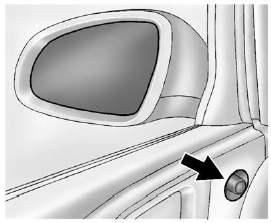
1. Turn the selector switch to L (Left) or R (Right) to choose the driver or
passenger mirror.
2. Move the control to adjust the mirror.
3. Turn the selector switch to  to
deselect the mirror.
to
deselect the mirror.
See also:
Vehicle Overview
Buick joined the minivan market for 2005 with the Terraza, which features
sliding side doors and a low step-in height. For 2006, the Terraza can be
equipped with a new 3.9-liter V-6.
Two version ...
2006 Buick Lucerne Review
Buick's new full-size sedan, the Lucerne, tackles one of the automaker's key
challenges: capturing younger buyers while simultaneously appealing to its core
consumers — a group that's been aroun ...
Torque Lock
Torque lock is when the weight of
the vehicle puts too much force on
the parking pawl in the
transmission. This happens when
parking on a hill and shifting the
transmission into P (Park) is ...