


Danger, Warnings, and Cautions
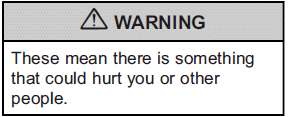
Warning messages found on vehicle labels and in this manual describe hazards and what to do to avoid or reduce them.
Danger indicates a hazard with a high level of risk which will result in serious injury or death.
Litho in U.S.A.
Part No. 20977758 C Third Printing
Warning or Caution indicates a hazard that could result in injury or death.
Notice: This means there is something that could result in property or vehicle damage. This would not be covered by the vehicle's warranty.

A circle with a slash through it is a safety symbol which means “Do Not,” “Do not do this,” or “Do not let this happen.”
See also:
Object Detection System Messages
PARK ASSIST OFF
This message is displayed when the park assist system has been turned off. See Ultrasonic Parking Assist
.
SERVICE PARK ASSIST
This message is displayed if there is a problem with ...
Oil Pressure Gage
The oil pressure gage shows the engine oil
pressure in psi (pounds per square inch) when the
engine is running. Canadian vehicles indicate
pressure in kPa (kilopascals).
Oil pressure may vary ...
Warning Lights, Gauges, and Indicators
Warning lights and gauges can
signal that something is wrong
before it becomes serious enough
to cause an expensive repair or
replacement. Paying attention to the
warning lights and gauges c ...