


2.0 L L4 Engine Shown, 2.4 L L4 Engine Similar
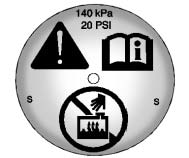
1. Remove the coolant surge tank pressure cap when the cooling system, including the coolant surge tank pressure cap and upper radiator hose, is no longer hot.
Turn the pressure cap slowly counterclockwise about one-quarter of a turn. If you hear a hiss, wait for that to stop. This will allow any pressure still left to be vented out the discharge hose.
2. Keep turning the pressure cap slowly and remove it.
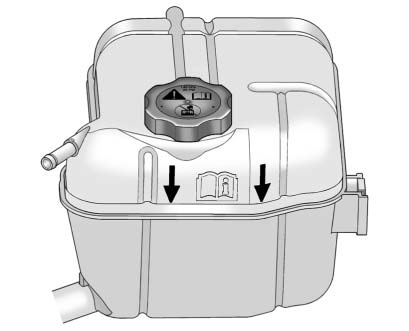
3. Fill the coolant surge tank with the proper DEX-COOL coolant mixture to the indicated level mark.
4. With the coolant surge tank pressure cap off, start the engine and let it run until you can feel the upper radiator hose getting hot. Watch out for the engine cooling fans.
By this time, the coolant level inside the coolant surge tank may be lower. If the level is lower, add more of the proper DEX-COOL coolant mixture to the coolant surge tank until the level reaches the indicated level mark.
5. Replace the pressure cap. Be sure the pressure cap is hand-tight.
Check the level in the coolant surge tank when the cooling system has cooled down. If the coolant is not at the proper level, repeat Steps 1 through 3 and reinstall the pressure cap. If the coolant still is not at the proper level when the system cools down again, see your dealer.
See also:
Hydroplaning
Hydroplaning is dangerous. Water can build up under
your vehicle’s tires so they actually ride on the
water. This can happen if the road is wet enough and
you are going fast enough. When your ...
Setting Cruise Control
If the cruise button is on when not in
use, it could get bumped and go into
cruise when not desired. Keep the
cruise control switch off when cruise
is not being used.
1. Press to turn the cr ...
Interior Mirror
The vehicle has an automatic dimming inside rearview
mirror. Automatic dimming reduces the glare of lights
from behind the vehicle. The dimming feature comes on
and the indicator light illuminat ...