


Lumbar Adjustment
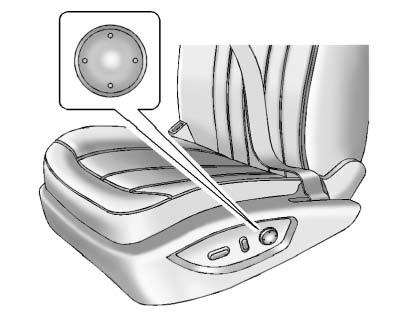
To adjust the lumbar support:
► Press and hold the front or rear of the control to increase or decrease lumbar support. ► Press and hold the top or bottom of the control to raise or lower lumbar support.Release the control when the desired level of support is reached.
See also:
Replacement Bulbs
For replacement bulbs not listed
here, contact your dealer. ...
Off-Road Recovery
The vehicle's right wheels can drop off the edge of a road onto the shoulder
while driving. Follow these tips:
1. Ease off the accelerator and then, if there is nothing in the way, steer the ...
Power Steering
If power steering assist is lost because the engine stops
or the system is not functioning, the vehicle can be
steered but it will take more effort. ...