


Lane Departure Warning (LDW) Light
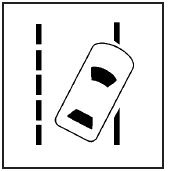
For vehicles with the lane departure warning system, this light briefly comes on green, while starting the vehicle, to indicate that it is working.
If it does not, have the vehicle serviced by your dealer/retailer. If the system is working normally the indicator light will then go off.
This light also comes on green if the system detects a left or right lane marking. It flashes, changes to amber and three beeps sound if a detected lane marking is crossed without using a turn signal. For more information, see the Index in the Navigation Manual.
See also:
Servicing the Airbag-Equipped Vehicle
Airbags affect how the vehicle should be serviced. There are parts of the airbag system in several places around the vehicle. Your dealer and the service manual have information about servicing the ve ...
Maintenance when Trailer
Towing
The vehicle needs service more
often when pulling a trailer. See the
Maintenance Schedule. Things that are
especially important in trailer
operation are automatic
transmission fluid, engine ...
Memory Features
On vehicles with the memory
feature, the “1” and “2” buttons on
the outboard side of the driver seat
are used to manually save and
recall the driver seat and outside
mirror positio ...