


Instrument Panel Cluster
The instrument panel cluster is designed to show how the vehicle is running. It shows how fast the vehicle is going, how much fuel has been used, and many other things needed to drive safely and economically.
The vehicle has this cluster or one very similar to it. It includes indicator warning lights and gages that are explained on the following pages. Be sure to read about them.
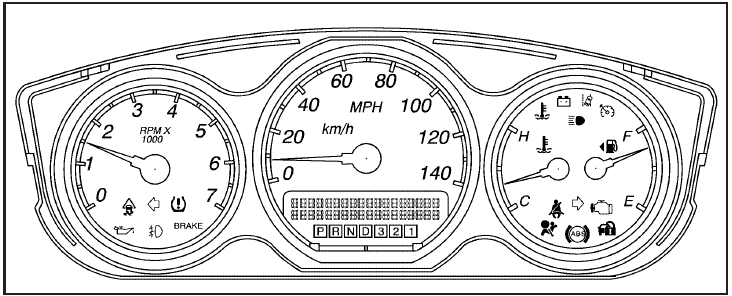
United States Super Model Shown, Canada and Base Similar
See also:
Portable Audio Devices
This vehicle may have an auxiliary input, located on the
audio faceplate. External devices such as iPod®, laptop
computers, MP3 players, CD changers, etc. can be
connected to the auxiliary port ...
Place a Call Using a Stored
Number
1. Push . System responds:
“OnStar ready.”.
2. Say “Call <name tag>.” System
responds: “OK, calling
<name tag>.” ...
Steering Wheel Adjustment
To adjust the steering wheel:
1. Pull the lever down.
2. Move the steering wheel up, down, forward, and backward.
3. Pull the lever up to lock the steering wheel in place.
Do not adjust the stee ...