


Instrument Panel Illumination Control
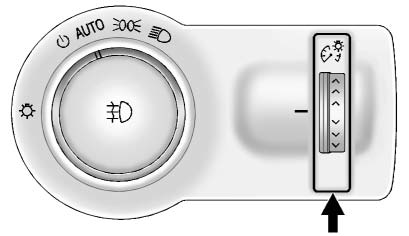
The brightness of the instrument panel lighting and steering wheel controls can be adjusted.
 :
Move and hold the thumbwheel up or down to brighten or dim the lights.
:
Move and hold the thumbwheel up or down to brighten or dim the lights.
See also:
Tires
Use a stiff brush with tire cleaner to clean the tires.
Notice: Using petroleum-based tire dressing products on the vehicle may damage the paint finish and/or tires. When applying a tire dressing, al ...
The Inside
Buick sells only three models now, and the Lucerne falls in the middle in
size, price and interior quality. Of the three large crossover models GM has
sold over the past couple years, the Buick En ...
XM Categories (Radio with CD
and Touchscreen)
Adding or Removing Categories
1. From the Home Page press the
Config screen button or the
CONFIG button on the
infotainment system.
2. Select Radio Settings from the
Config Menu list.
3. Se ...