


Instrument Panel Cluster
Your instrument panel cluster is designed to let you know at a glance how your vehicle is running. You will know how fast you are going, about how much fuel you have used, and many other things you will need to know to drive safely and economically.
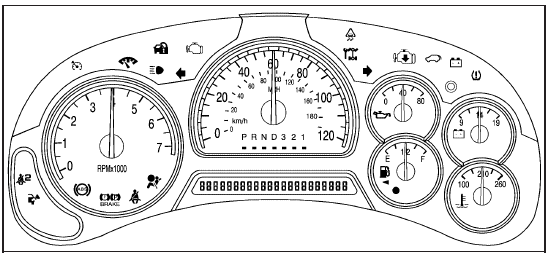
United States version shown, Canada similar
See also:
Bluetooth®
Vehicles with a Bluetooth system can use a Bluetooth
capable cell phone with a Hands Free Profile to make and
receive phone calls. The system can be used while the
key is in ON/RUN or ACC/ACCESS ...
Using Universal Home Remote
Press and hold the appropriate button for at least
half of a second. The indicator light will come on
while the signal is being transmitted. ...
Reading Lamps
There are front and rear reading
lamps.
The front reading lamps are located
in the overhead console.
The rear reading lamps are located
in the headliner.
or
: Press to turn each lamp
...