


Power Lumbar
Your vehicle has power lumbar on the driver’s and front passenger’s seats.
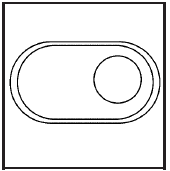
The seatback lumbar support can be adjusted by moving the control located on the outboard side of the seat cushions.
To increase or decrease support, hold the control forward or rearward.
Keep in mind that as your seating position changes, as it may during long trips, so should the position of your lumbar support. Adjust the seat as needed.
See also:
Services Provided
• Flat Tire Change: If unable to
change a flat tire, Roadside
Assistance will provide towing
service to the nearest authorized
Buick dealership. It is the
owner's responsibility for the
...
Parental Control
This button is located behind the video screen.
Press this button while a DVD or CD is playing to
freeze the video and mute the audio. The video
screen will display Parental Control ON and the
p ...
StabiliTrak® System
The vehicle may have a vehicle
stability enhancement system called
StabiliTrak. It is an advanced
computer-controlled system that
assists with directional control of the
vehicle in difficult ...