


Center Console Storage
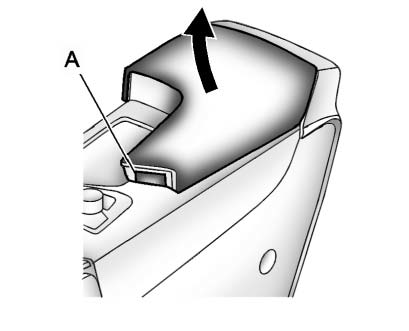
Push the button (A) to access the storage or accessory power outlet under the armrest.
See Power Outlets for more information.
Some vehicles might also have input jacks for auxiliary devices. See Auxiliary Devices for more information
See also:
Brakes
This vehicle has disc brakes. Disc brake pads have built-in wear indicators that make a high-pitched warning sound when the brake pads are worn and new pads are needed.
The sound can come and go or b ...
OnStar®
If the vehicle is equipped with an
active OnStar system, that system
may also record data in crash or
near crash-like situations. The
OnStar Terms and Conditions
provides information on data ...
Steering in Emergencies
There are times when steering can be more effective
than braking. For example, you come over a hill and find
a truck stopped in your lane, or a car suddenly pulls
out from nowhere, or a child da ...