


Power Mirrors
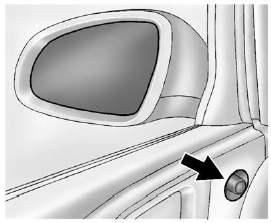
1. Turn the selector switch to L (Left) or R (Right) to choose the driver or
passenger mirror.
2. Move the control to adjust the mirror.
3. Turn the selector switch to  to
deselect the mirror.
to
deselect the mirror.
See also:
Diagnostics
OnStar Vehicle Diagnostics will
perform a vehicle check every
month. It will check the engine,
transmission, antilock brakes, and
major vehicle systems. It also
checks the tire pressures, if ...
Video Screen
The video screen is located in the overhead
console. To use the video screen, push forward
on the release latch and the screen will fold down.
Adjust the screen’s position as desired. When
the ...
Battery
Your vehicle has a maintenance free battery.
When it is time for a new battery, get one that has
the replacement number shown on the original
battery’s label. We recommend an ACDelco®
replace ...