


Transmission
Automatic Transmission
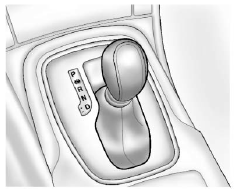
P: Park
R: Reverse
N: Neutral
D: Drive
Manual Mode
Move the selector lever from D (Drive) to the left. Press the shift lever forward (+) to upshift or rearward (−) to downshift.
The selector lever can only be moved out of P (Park) when the ignition is on and the brake pedal is applied. To engage P (Park) or R (Reverse), push the release button.
See Automatic Transmission .
See also:
Playing a DVD-V
See Rear Seat Entertainment (RSE)
System for information
about how to control a Video DVD
using the wireless remote control.
Selecting a Chapter
Using the control buttons:
• Press or
to ...
Volume Control
VOL/ (Volume/Power): Turn to
adjust the volume.
(Phone/Mute): For vehicles with
OnStar®, press and hold to mute
the infotainment system. Press and
hold again, or turn the VOL/
knob t ...
File System and Naming
The displayed song title is taken
from the file's ID3 tag. If a song title
is not present in the ID3 tag, the
radio displays the file name as the
track name. ...