


Danger, Warnings, and Cautions
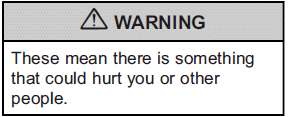
Warning messages found on vehicle labels and in this manual describe hazards and what to do to avoid or reduce them.
Danger indicates a hazard with a high level of risk which will result in serious injury or death.
Litho in U.S.A.
Part No. 20977758 C Third Printing
Warning or Caution indicates a hazard that could result in injury or death.
Notice: This means there is something that could result in property or vehicle damage. This would not be covered by the vehicle's warranty.

A circle with a slash through it is a safety symbol which means “Do Not,” “Do not do this,” or “Do not let this happen.”
See also:
USB Port
Not all USB drives are compatible with the USB port. Check the height of the
USB drive prior to closing the arm rest.
For vehicles with a USB port, the following devices may be connected and contro ...
Lock Doors
Press the customization button until LOCK
DOORS: IN GEAR appears in the display. To
select your preference for automatic locking, press
the select button while LOCK DOORS: IN GEAR
is displayed on ...
Rear Seat Armrest
This vehicle has a rear seat armrest with cupholders.
Pull the tab on the armrest forward, to access it. ...