


Instrument Panel Storage
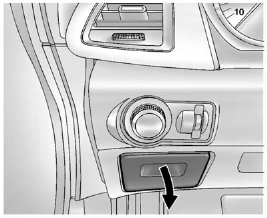
Pull down to open it.
See also:
Reprogramming a Single
Universal Remote System
Button
To reprogram any of the three
Universal Remote system buttons:
1. Press and hold the desired
Universal Remote system
button. Do not release the
button.
2. The indicator light will begin to
...
Driving Through Deep Standing Water
Notice: If you drive too quickly through
deep puddles or standing water, water can
come in through your engine’s air intake and
badly damage your engine. Never drive through
water that is slight ...
When to Check Power Steering
Fluid
It is not necessary to regularly
check power steering fluid unless a
leak is suspected in the system or
an unusual noise is heard. A fluid
loss in this system could indicate a
problem. Have ...